For festival & event-goers

Your festival,
perfectly planned.

Discover the full line-up, build your own schedule across every stage, and get a reminder before each act you love starts. Works offline when the signal doesn't.

Free for fans · Sign in with Apple, Google, or email

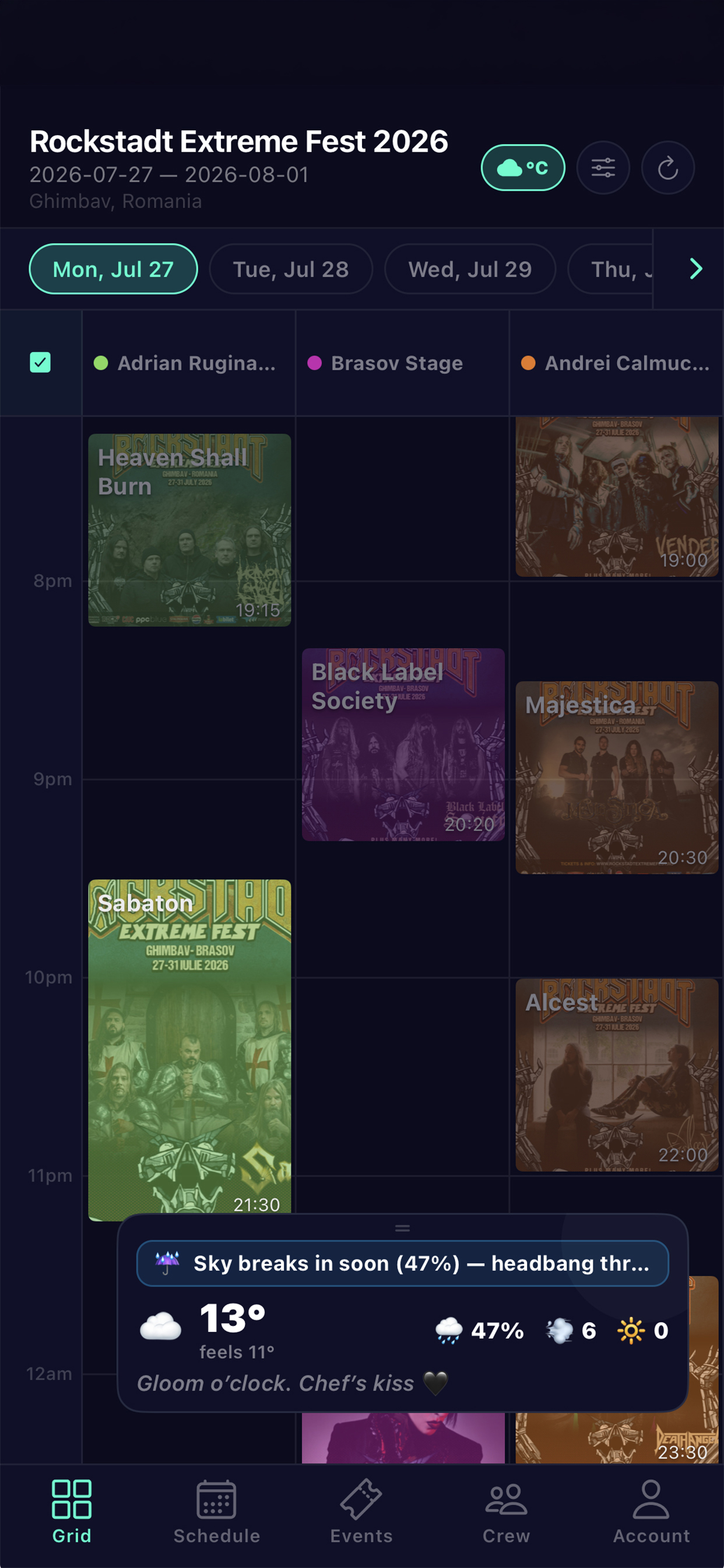
Rockstadt Extreme Fest — live grid
For crews, stage managers & organizers

Every stage.
Every crew.
One grid.

The real-time coordination platform for live events. See every act, cue, and check-in on one timeline. Push notifications keep your whole team in sync from load-in to encore.

Free for organizers · Deploy your first crew in minutes

Crew grid — every stage & crew lane

Never miss a set
you came for

Everything you need to get the most out of a multi-stage day — in your pocket, online or off.

🔍
DISCOVER

Browse every event

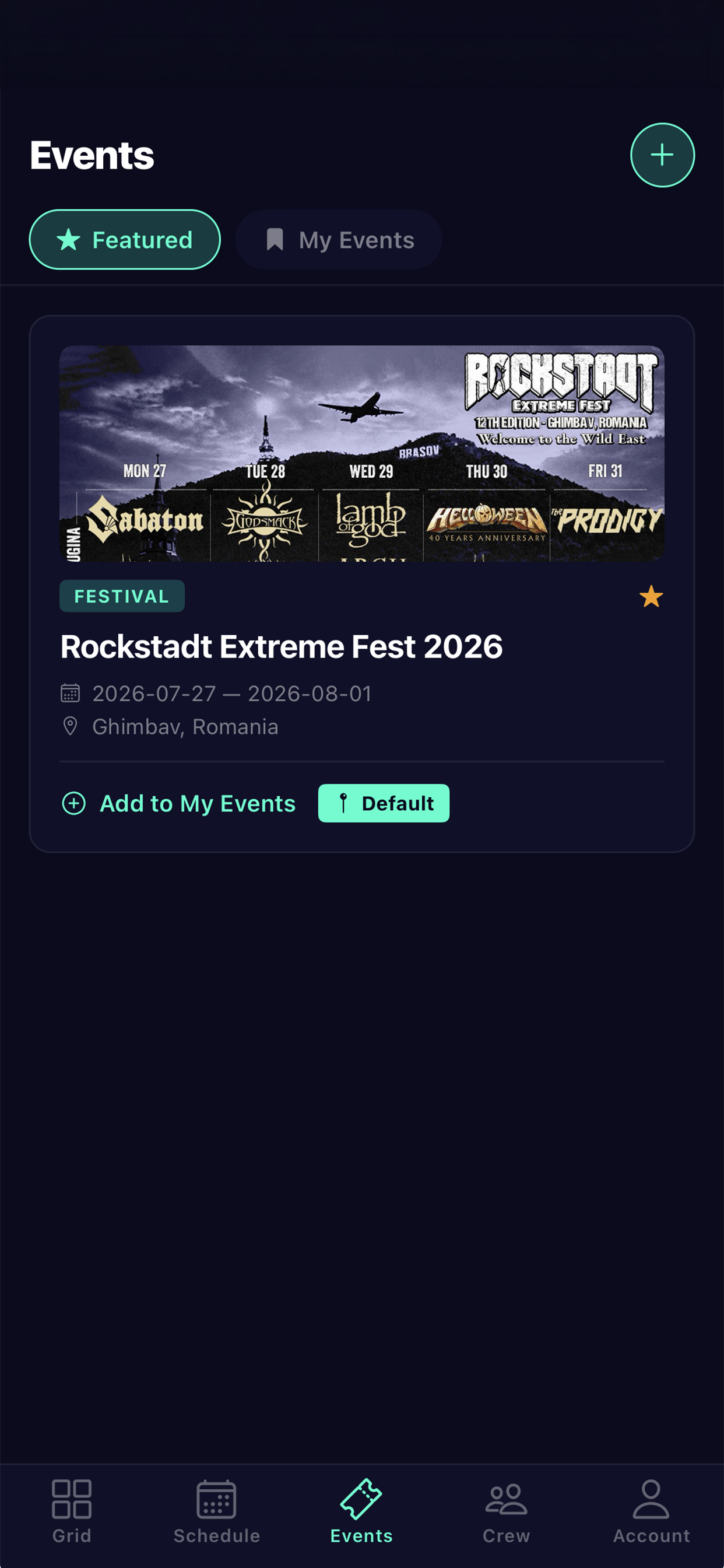
Find featured festivals and conferences, then add the ones you're attending to your personal list.

SEE IT ALL

The full line-up grid

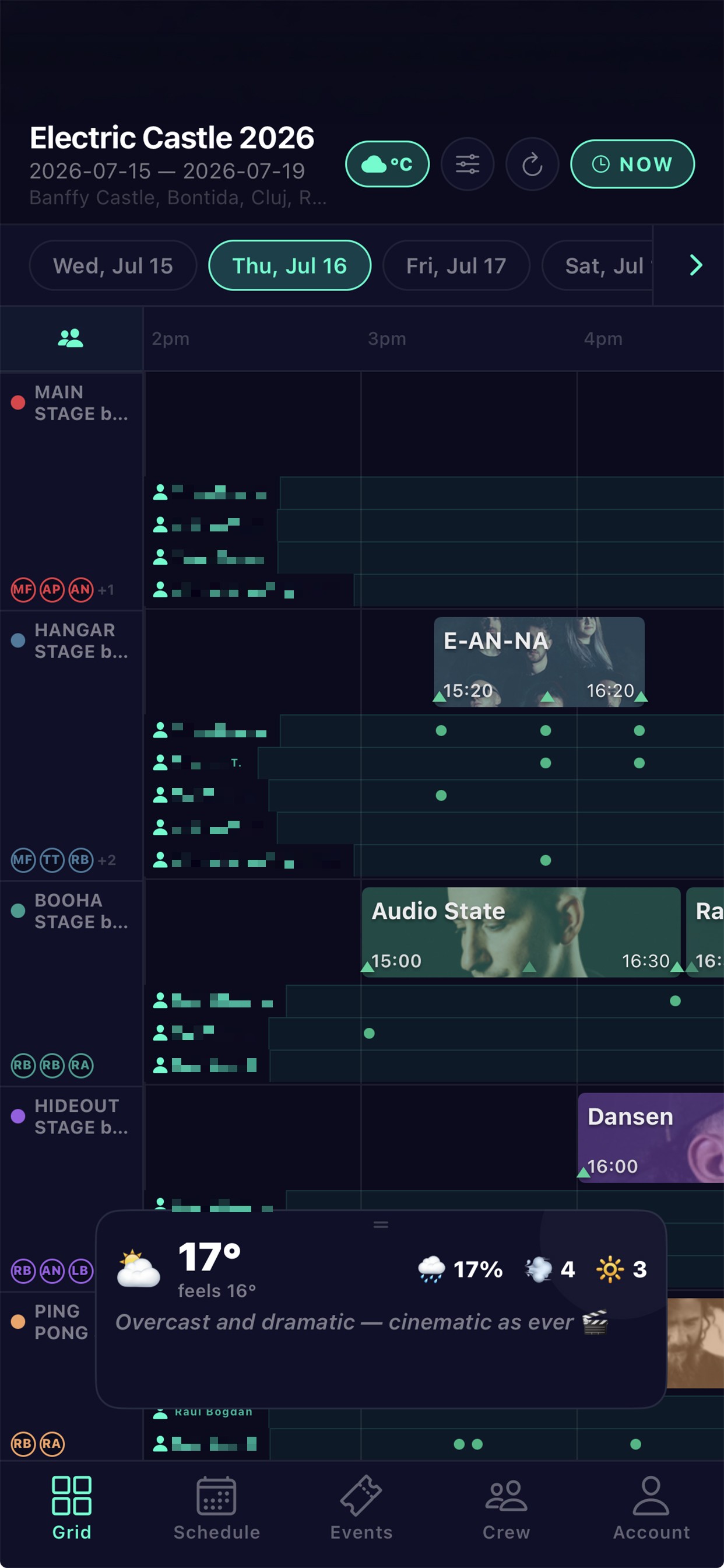
Every stage and act on one live timeline — read it your way: switch horizontal or vertical, reorder the stages you care about, with artist photos on by default. Solo sessions expand so titles stay readable.

🌦
LIVE WEATHER

Festival weather, built in

Real temperature, next-hour rain chance, wind and UV for your festival — with fun, festival-flavored forecasts and heads-ups for incoming rain, high UV or a chilly night. Drag the widget anywhere or hide it.

YOUR PICKS

Favorite & get reminded

Star the acts you love and GigGrid schedules a reminder before each one starts — so two stages never cost you a set.

🔎
FIND FAST

Search & filter

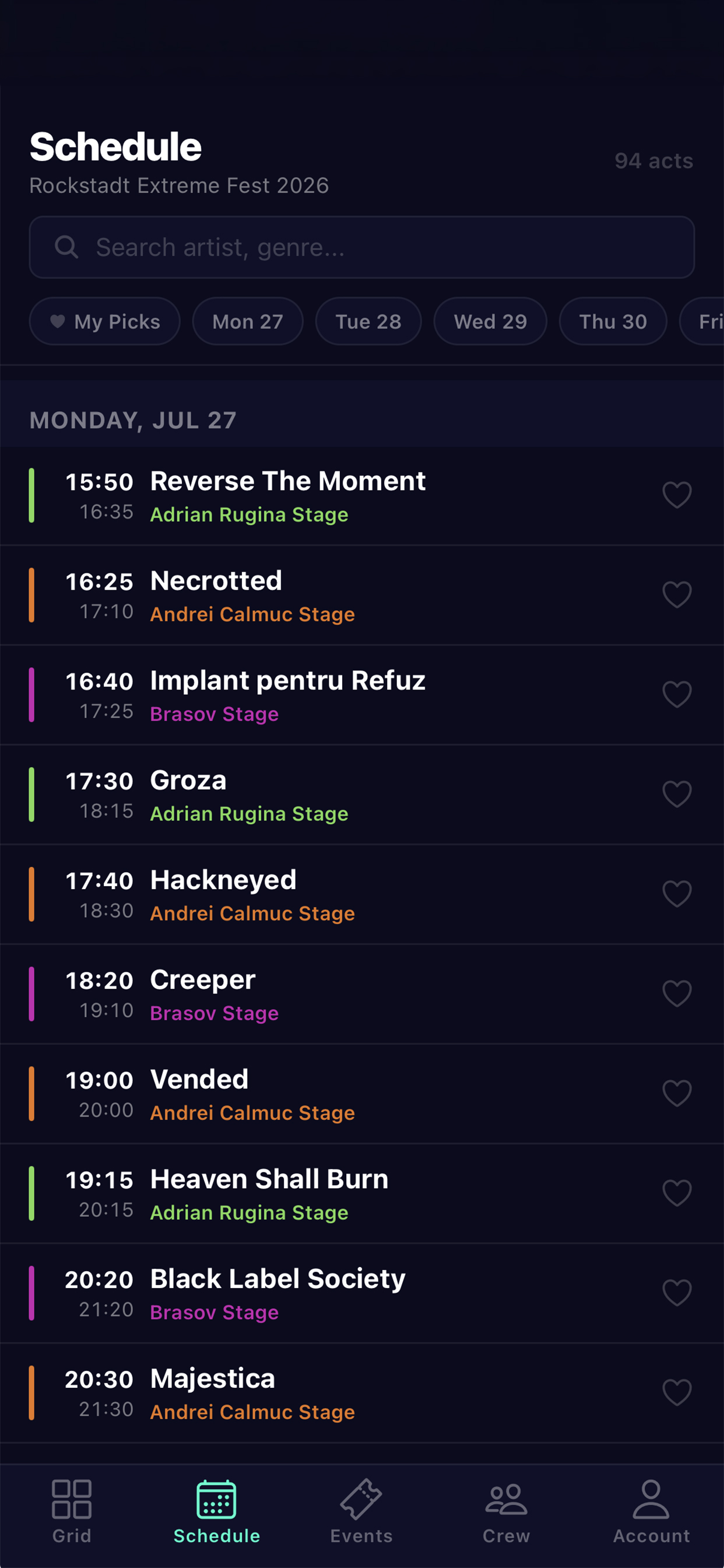
Jump straight to an artist or stage with instant search and filtering across the whole schedule.

📶
ANYWHERE

Works offline

Your schedule and favorites are cached on your device — packed fields and dead zones can't take them away. Syncs when you're back.

📱
SIMPLE

Sign in your way

Apple, Google, or email. Build your day in seconds and pick up right where you left off on any device.
Built for the chaos
of live events

Seven systems that work together to keep your crew synchronized from doors open to last encore.

01

Live timeline grid

Every stage, act, and pause on one timeline with a live NOW cursor. Overnight acts roll correctly; multi-day selector built in.

👥
02

Crew deployment

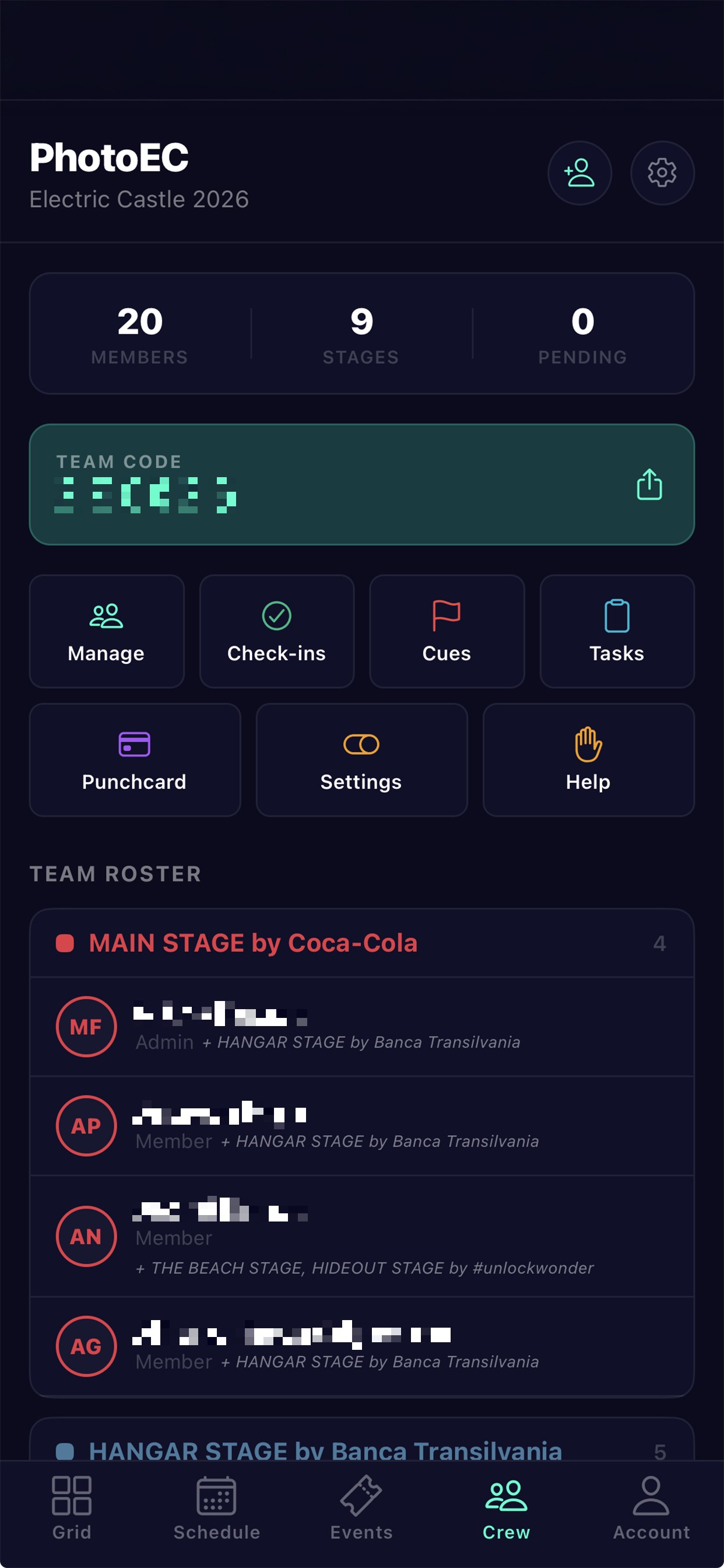
Create teams, invite by email or join code, and assign members to one or more stages. Crew bands show right under each act on the grid.

03

Smart check-ins

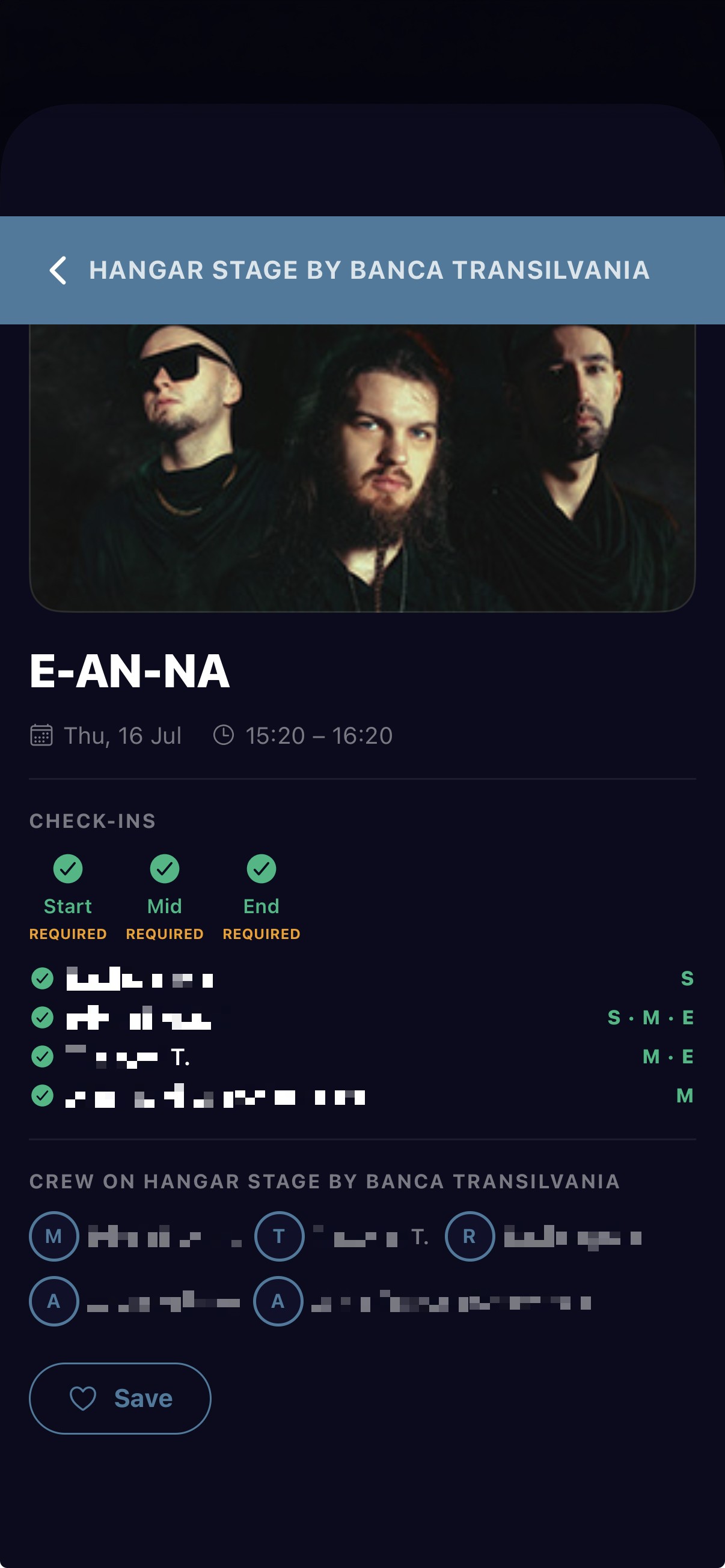
Require check-ins at the start, middle, and end of shows per stage, with a tunable ±5/10/15-min window. Tap to check in right from an artist's page — and see who's already covered it. Haptic popup with a countdown; success, late, and missed states on the grid, plus each member's check-ins on their lane.

04

Cue system

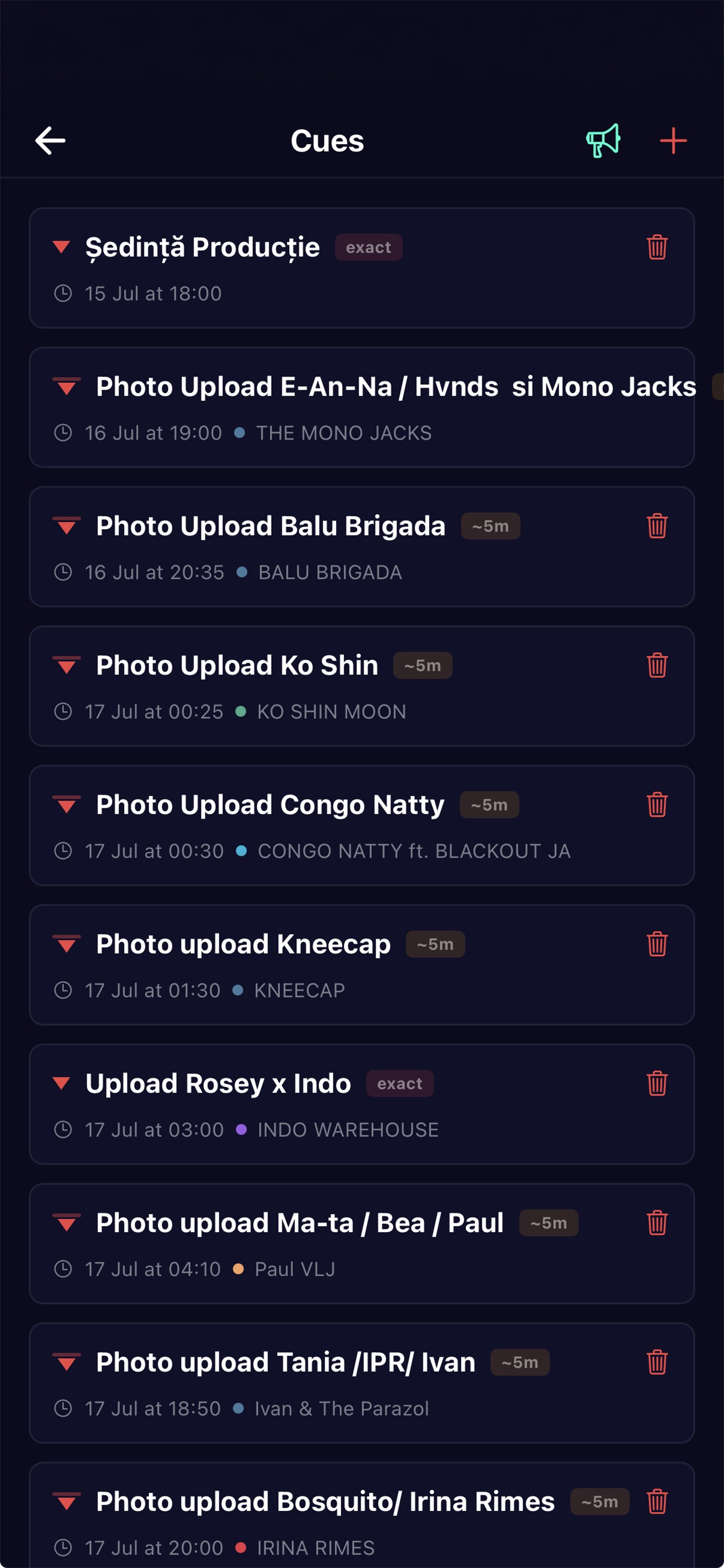
Drop strict or loose cues on the timeline with a visual slider — pyro, lighting, hand-offs. Each fires a push and haptic alert to assigned crew.

📢
05

Help, tasks & alerts

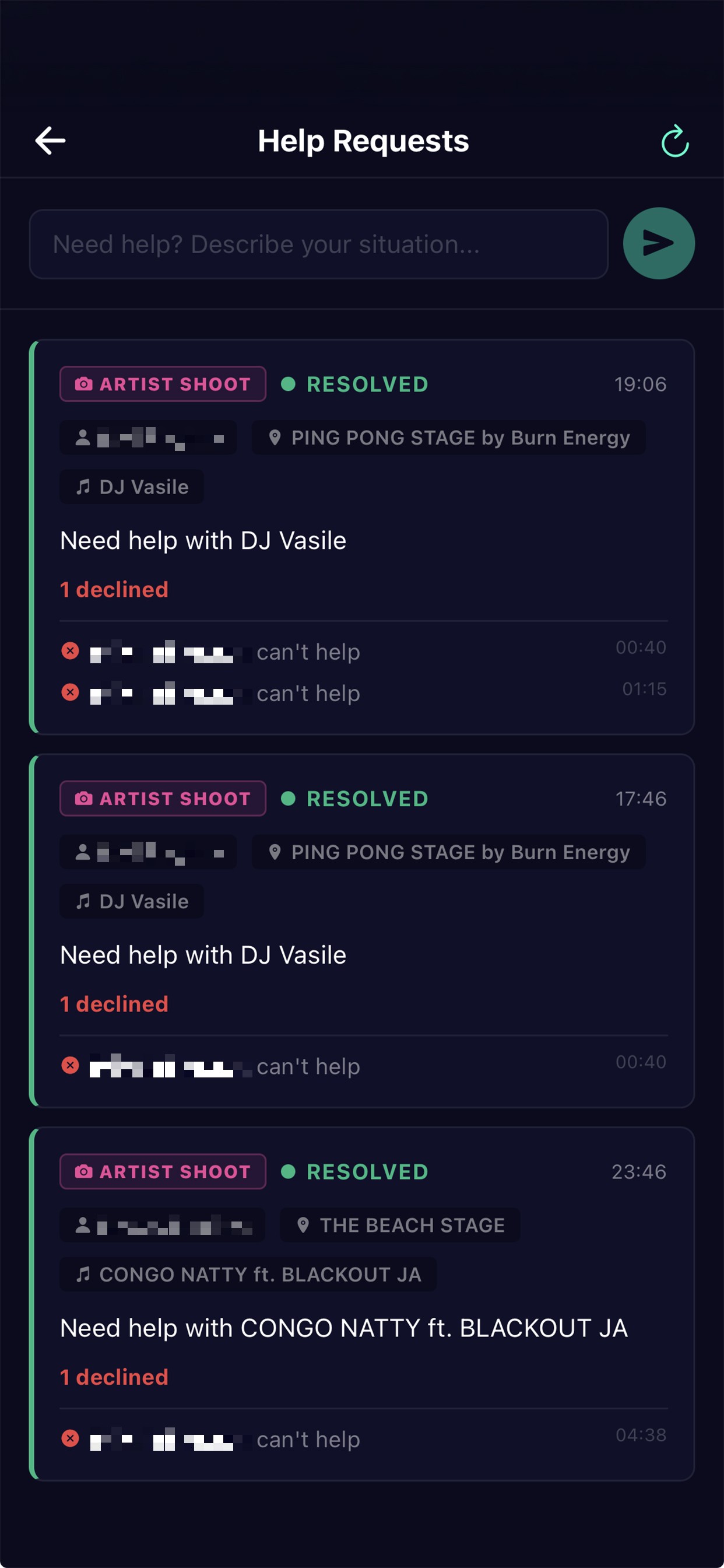
Ask for help from any artist or the timeline; the team replies in a thread and you see who's committed vs. can't make it. A dedicated tasks board with templates and reminders. Push an instant alert to the whole crew — or just one stage's team.

06

AI schedule import

Paste a line-up URL or upload a PDF or file — GigGrid extracts every stage, act, and time slot. Review and import the whole schedule in one tap.

🤖
07

AI event assistant

Tell it what to change in plain language — move sets, fix times, rename acts, notify attendees. It proposes a plan you approve before anything happens, and can re-sync the schedule from the official source.

💳
08

Punch-card passes

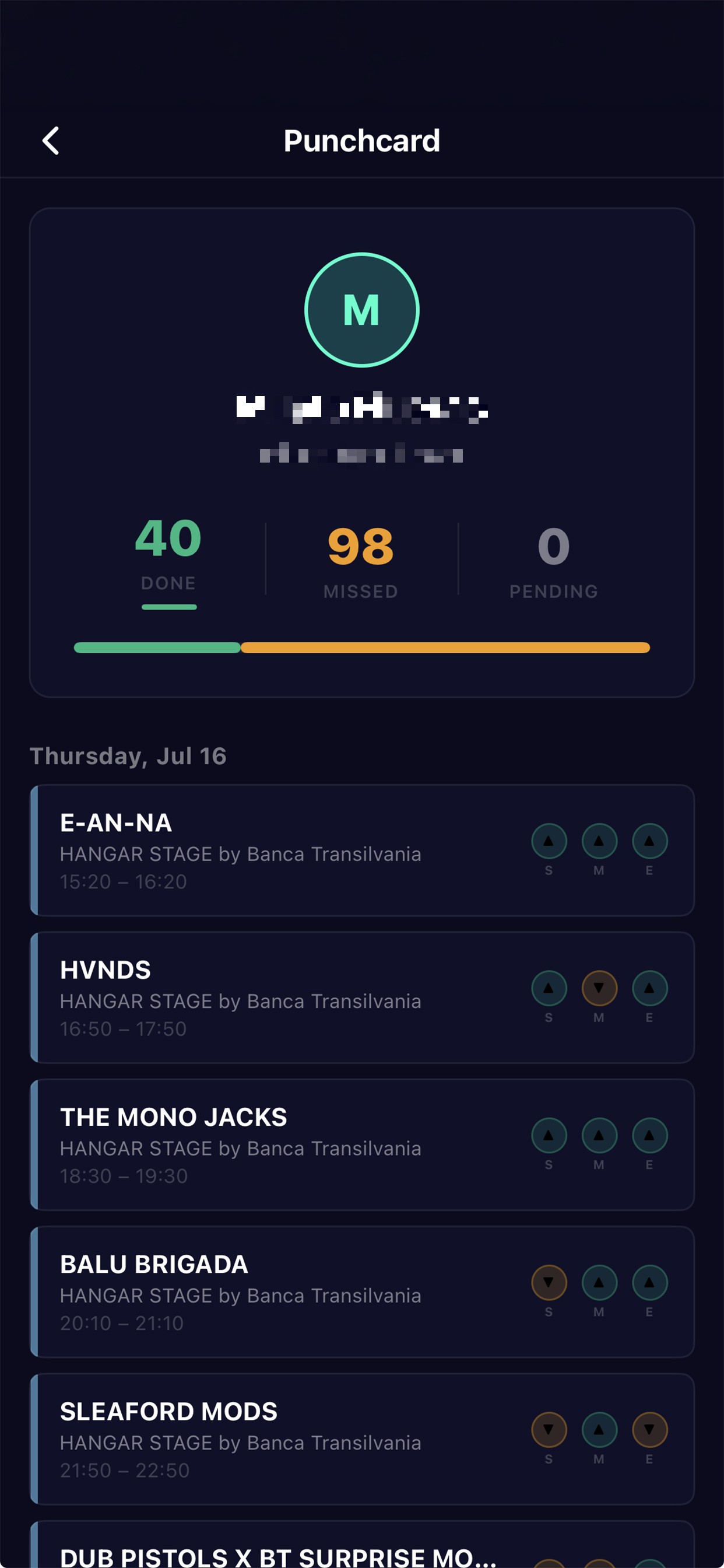
Export a printable crew pass per member as a PDF — their shifts, stages and live check-in progress on one ticket. Perfect for briefings and hand-outs.

📶
09

Offline-first crew

Check in with no signal — it saves on the phone and syncs the moment you're back. Reminders arrive as real system notifications that cut through sleep and Focus.

🔑
10

Delegate & archive

Grant a trusted organizer admin rights for a single event — edit the program, run the AI agent, notify attendees and see demographics. Park finished events to keep your list clean; their stats and teams stay, and revive anytime.

The whole festival,
on one screen

Real views from the app — swipe each row.

For festival-goers

Find your event
1 · EVENTS

Find it, pin it

Add your festival, then tap Default to open straight to it every time.

Live grid
2 · GRID

Every stage, one screen

The full line-up on a live timeline with artist photos and built-in festival weather.

Schedule search
3 · SCHEDULE

Search & save

Find any act by name or genre, heart the ones you love, get a reminder before they start.

For crews & organizers

Live grid
A · GRID

Every stage, one timeline

Acts, artist photos, live NOW line, crew lanes and built-in weather.

Crew team
B · CREW

Your crew, deployed

Roster by stage with a join code, plus check-ins, cues, tasks and punch-card in a tap.

Check in from an act
C · CHECK-IN

Check in from the act

Start / Mid / End, only while the window's open — and see who's already covered it.

Punch-card
D · PUNCH-CARD

Live shift progress

Each member's shifts with real-time done / missed check-ins — export the whole team as a PDF.

Cues
E · CUES

Cue the crew

Timed cues push to assigned crew — or fire an instant alert to a single stage or the whole team.

Help requests
F · HELP

Help, answered

Ask for backup from any act; the team replies in a thread and you see who's in.

Crew names & codes blurred for privacy

One glance tells
the whole story

Whether you're catching a set or running a stage, the grid encodes everything happening right now into a single view.

Live NOW cursor

Sweeps across the timeline so you always know what's on at this moment.

Crew bands

Colored bands under an act show which crew are assigned, by initials and stage color.

Check-in markers

Green triangles confirm a completed check-in; amber flags a late or missed one.

Cue markers

Red markers pin timed cues to the second — pyro, lighting, or any hand-off.

From "who's playing?"
to a perfect day

1

Find your event

Browse featured events and add the one you're going to.

2

Explore the grid

See every stage and act on one live timeline.

3

Star your acts

Favorite the sets you can't miss.

4

Get reminded

A nudge before each one — even offline.

From zero to live
in minutes

1

Create

Set up your event and stages — or Smart Import from a line-up URL or PDF.

2

Deploy

Invite crew by email or join code and assign them to stages.

3

Configure

Set check-in rules per stage and place cues on the timeline.

4

Go live

Real-time grid and push notifications from anywhere on site.

One app, two jobs

Every feature, whichever side of the barrier you're on.

For fans & attendees

Plan your day and enjoy the show
Event discovery — featured events plus your own added list, with a default event.
Full line-up grid — all stages on a live, scrollable, multi-day timeline.
Make the grid yours — horizontal or vertical layout, reorder stages, artist photos on by default.
Live festival weather — temp, next-hour rain, wind & UV with fun forecasts and rain/UV/cold alerts; drag or hide it.
Schedule list — with instant search and filtering.
Favorites & reminders — local notifications before each act you star.
Pauses & overnight acts — breaks shown clearly; after-midnight sets handled right.
Offline-first — cached on device and synced automatically.
Apple, Google & email sign-in — and full control over your data.

For crew & organizers

Coordinate the whole operation
Teams & roles — admins, leads and members, with multi-stage assignments.
Invites — by email or a simple shareable join code.
Check-ins — per-stage start/mid/end with a tunable ±5/10/15-min window; per-member check-ins on the grid.
Cues — strict or loose, placed on the timeline with a visual slider.
Help requests & tasks — ask from any artist/timeline, reply in a thread, see who's committed; template tasks with notes.
Live weather — temp, rain, wind & UV with alerts, on the crew grid too.
Push notifications — check-ins, cues, help, and task reminders, server-side.
AI Smart Import — build a full schedule from a URL, PDF or file.
AI event assistant — plain-language schedule edits and attendee notifications, with approve-before-apply and source re-sync.
Event management — stages, acts, cover art, dates & location, plus an activity log.
Poster & photo focus point — keep cover art and artist photos framed on every screen.

Make this one count.

Build your festival schedule, never miss a favorite, and keep it all in your pocket — online or off.

Ready to grid?

GigGrid is free for organizers. Download now and deploy your first crew in minutes.

iPhone: free on the App Store · Android: free on Google Play.

On Android? Install GigGrid free from Google Play. Install